
Things to do
Today's list, tomorrow's, and what did not get done yesterday
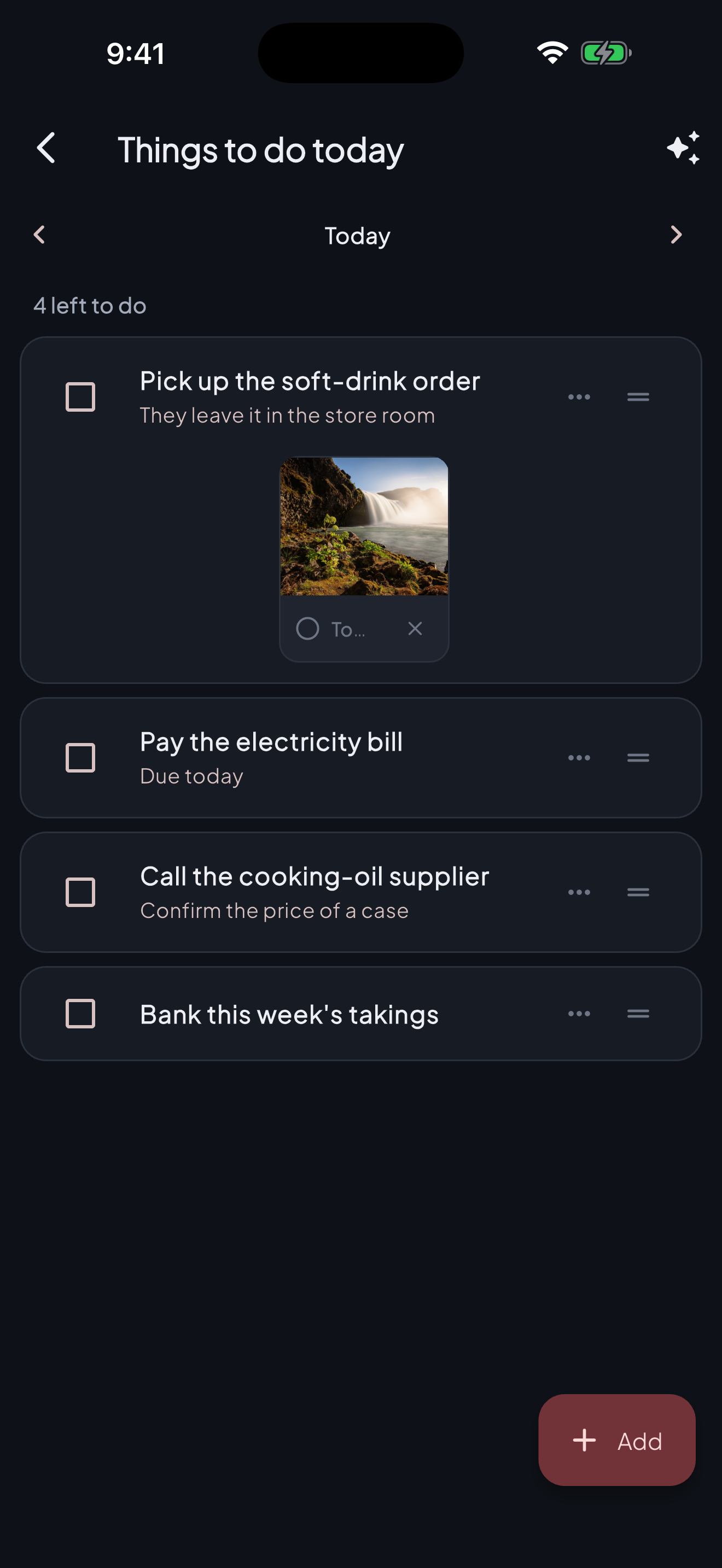
A shop’s list is not a productivity app: it is paying the bill before they cut you off, calling the supplier while somebody answers, and banking the week. You dictate it, it carries the bill it is about, and what you did not do yesterday turns up today.
From the Plus plan.
How it works
- 1
You say it out loud
Talk the way you would to a person: “pay the electricity, call the oil supplier about the case price, bank the takings on Friday.” The assistant splits it into lines with their dates, and you read them back before anything is kept.
- 2
Each line with its papers
The bill, the quote, the photograph of the meter: up to six a line, each ticked off on its own. Paying three bills is one line with three errands in it, and that is how it reads.
- 3
Today, tomorrow, or any day
The list is one day at a time. Arrows take you to tomorrow, and the day itself opens the calendar for next Saturday. What did not get done keeps turning up until it does.
- 4
One of yours, one of the shop’s
The personal one follows you across every book you keep. The book’s one is everybody’s who works there — whoever is behind the counter when the gas runs out writes it down, and whoever orders it ticks it off.
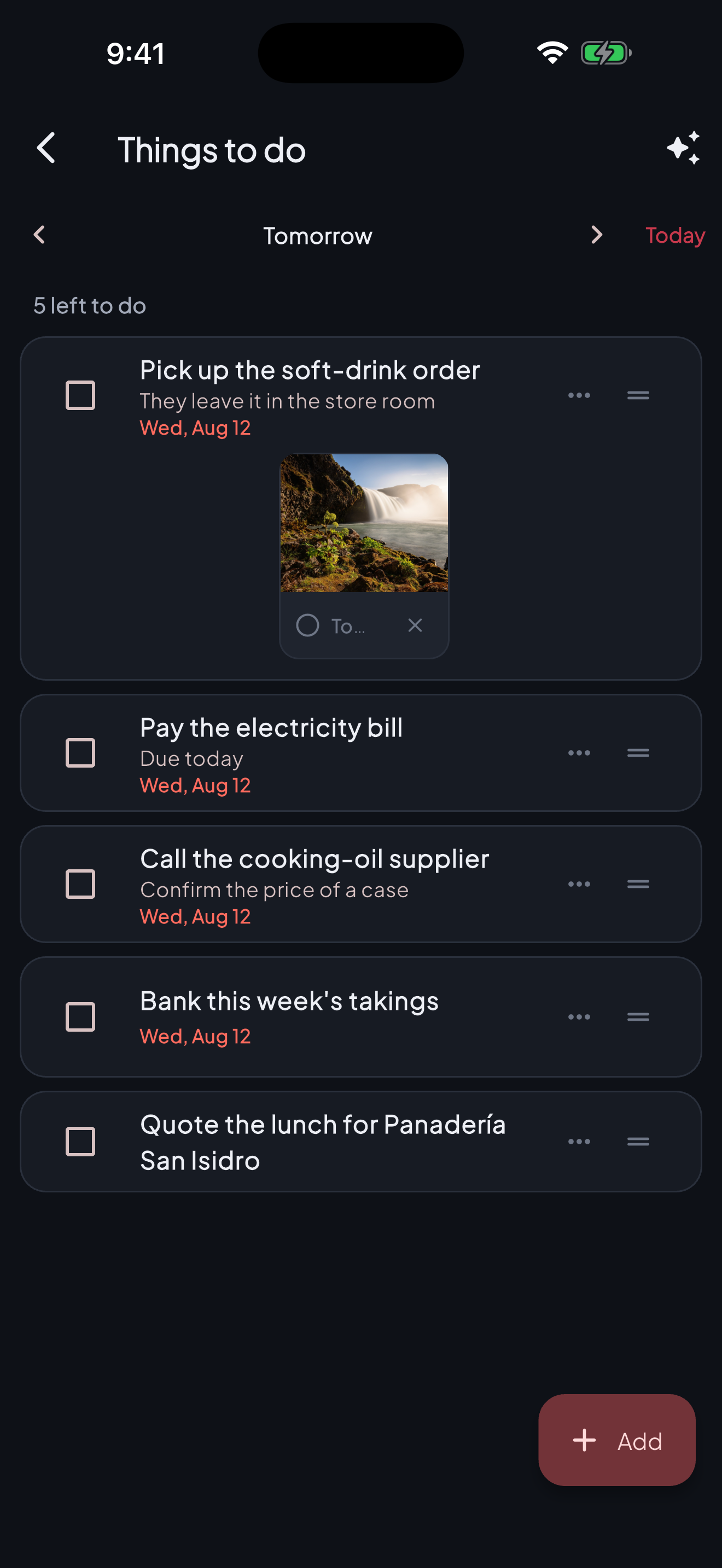
And tomorrow, one arrow away. What you left undone travels with you and shows its date in red — a list that hides what is pending has started lying to you.
What it is for
- No more notes on the paper that gets lost.
- Yesterday’s leftovers are not dropped: they show up today, marked as old.
- The team sees the same list, without a WhatsApp group nobody reads.
Questions
Is this the same as recording an expense?
No, and that is why it is separate. “Pay the electricity” is a line until somebody pays it; the payment is an ordinary entry in the book. The list moves no money, which is what lets you be honest in it.
Can a line carry more than one file?
Up to six, between photographs, PDFs and documents. Each is ticked off on its own, and a photograph shows itself.
Who sees the book’s list?
Everybody in that book, and anybody can tick something off. Nobody sees your personal one, not even the owner of the book.