
Sell
Sell with the stock kept current, and know what you made
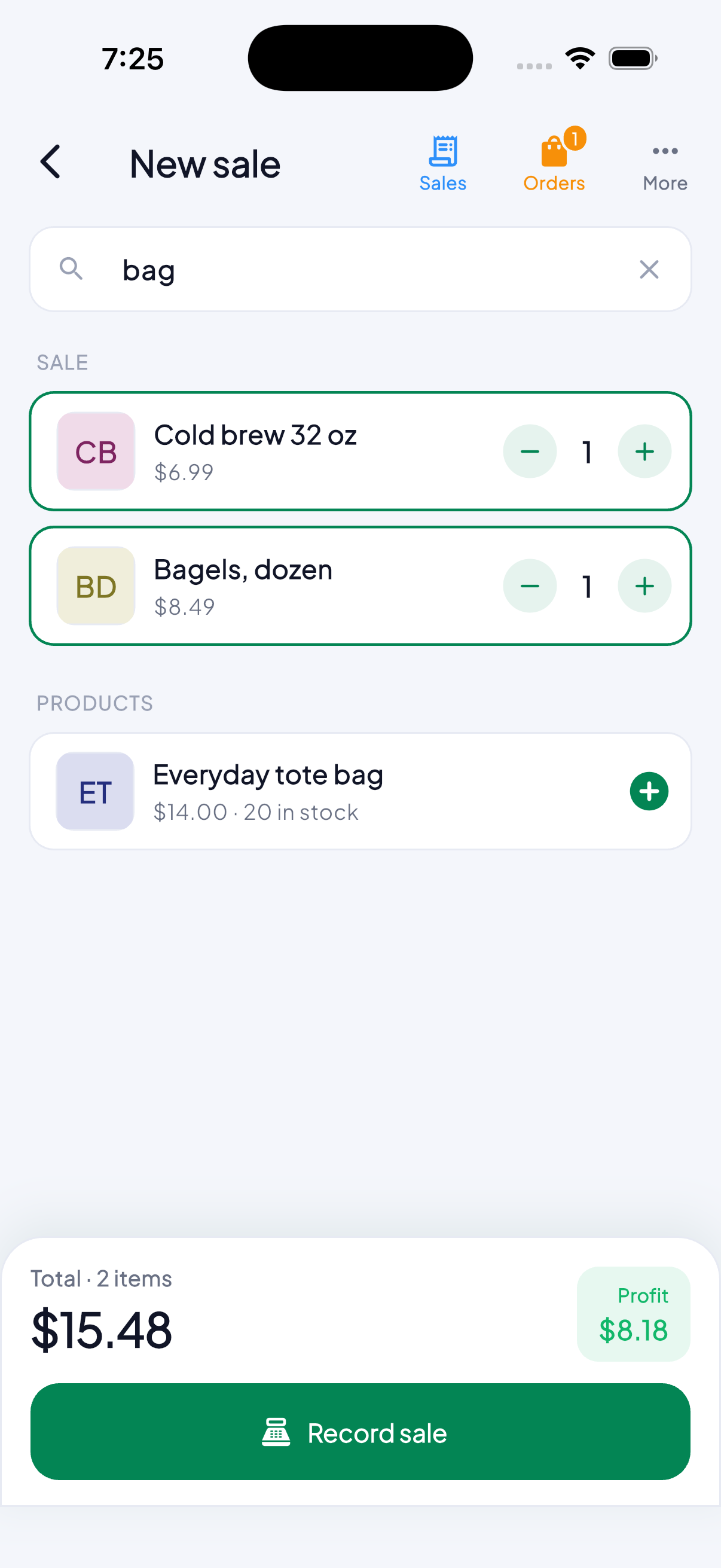
A till that fits in a phone. Read the barcode, the stock comes down by itself, and at closing you know the profit rather than only the takings.
Business plan.
How it works
- 1
Build the price list once
Each product with its price and its cost. That cost is what later lets you see the profit — without it, a sale is only money that came in.
- 2
Sell by reading the barcode
Point the camera at the barcode and the product joins the sale at its price. No barcode, find it by name. It works the same with no signal.
- 3
The stock comes down by itself
Every sale lowers it, and the app says when something is running out. No counting the shelf to work out what to reorder.
- 4
Close the day on the profit
What you sold, what it cost and what is left. With a receipt or an invoice if the customer asks, issued from the same sale.
What it is for
- You know the real profit, not only what went into the till.
- The stock is current without counting anything by hand.
- It works with no signal, which is when most selling happens.
Questions
Do I need a barcode scanner?
No. The phone’s camera reads it.
Does it work offline?
Yes. You sell as usual and everything syncs when the signal comes back. A till that stops when the internet does is not a till.