
Quotes
Quote a job and charge it in instalments
Price the work with your costs in view, send it by WhatsApp, and once it is approved collect it in the parts you agreed — each payment recorded on the day it arrived.
Business plan.
How it works
- 1
Put the quote together
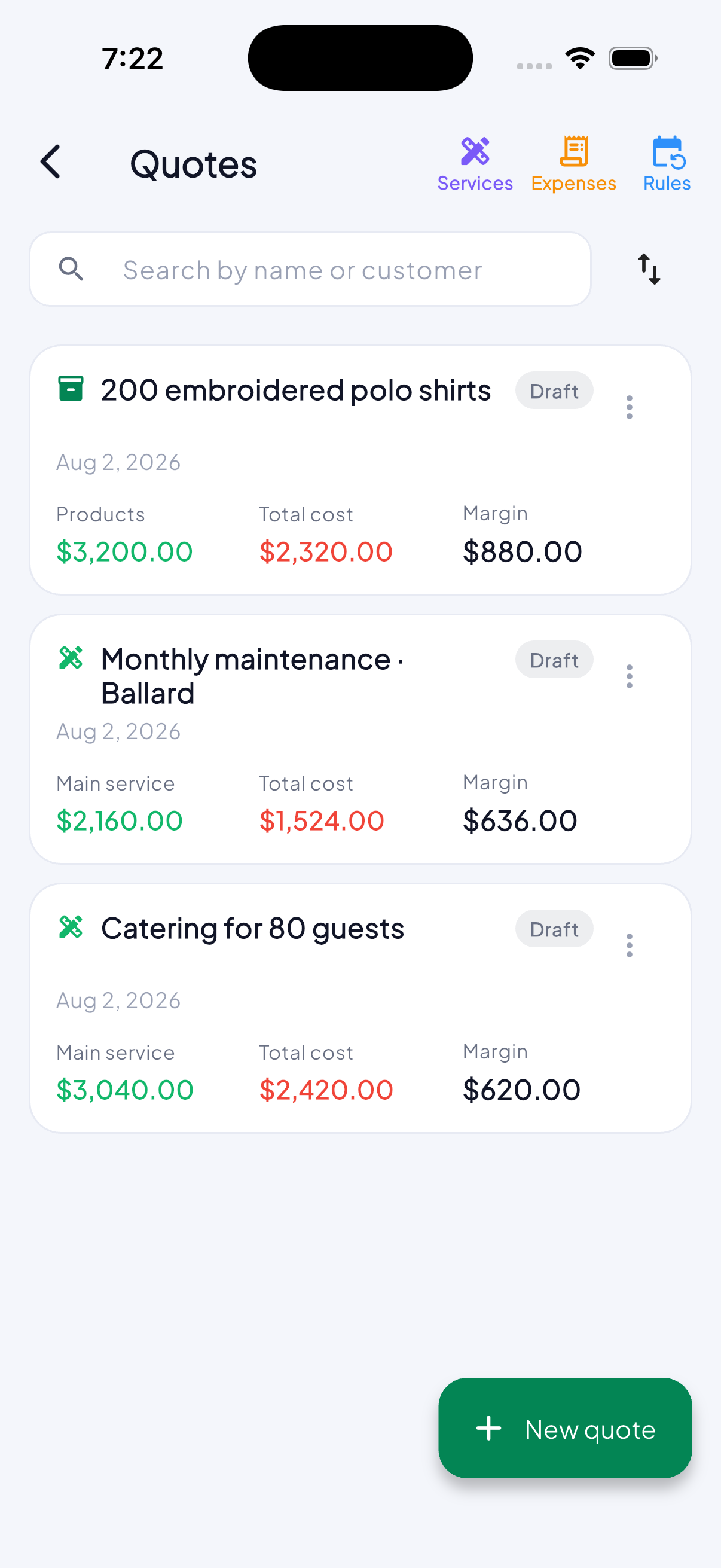
Services, materials and what they cost you. You see the margin as you write it, which is when knowing it is any use — not after it has been sent.
- 2
Send it as a link
The customer opens it on their phone with nothing to install and no account to make. With your logo, your tax number and your colours.
- 3
Charge in instalments
A deposit, a payment on delivery, whatever you agreed. Each one is recorded on the day it arrived and the quote shows what is left.
- 4
Then the photographs of the work
Upload photos and video of what you did and share the link with the customer, who can download them. Work that can be seen is work that gets recommended.
- 5
And what is on today and tomorrow
One day at a time, with arrows and the calendar behind the day’s own name. Quotes show in every state — the one nobody has answered is exactly the one you want to see the day before — each with its chip and its hour, and tapping one opens it.
What it is for
- You know the margin before the price goes out, not after.
- The customer gets a document with your brand, not a loose message.
- What is paid and what is outstanding live in the same place.
Questions
Does the customer need the app?
No. They open a link in their browser.
Can a quote become a sale?
Yes. Once approved it goes onto the books as a sale with its instalments, and every payment you record goes against it.